
IPTV connection issues can disrupt your favorite shows and live sports. Discover 15 proven fixes to solve IPTV connection issues quickly and enjoy buffer-free streaming.
Understanding lPTV Connection Issues
IPTV connection issues can be incredibly frustrating. You sit down to watch your favorite match or movie, and suddenly—buffering, freezing, or total blackout. It’s annoying, right? The good news is that most lPTV connection issues have clear causes and simple fixes.
Before diving into solutions, let’s understand what IPTV is and why these problems happen in the first place.
What Is IPTV and How It Works
IPTV stands for Internet Protocol Television. Instead of traditional satellite or cable systems, IPTV streams content over the internet. Popular platforms like Netflix use similar streaming technology, though IPTV services often provide live TV channels.
IPTV works by:
- Sending video data in packets
- Streaming in real-time
- Requiring stable bandwidth
- Depending heavily on server performance
Because IPTV is internet-based, even minor network instability can trigger IPTV connection issues.
Why IPTV Is Sensitive to Internet Quality
Unlike YouTube, which preloads video, IPTV streams live content. That means:
- No buffering margin
- Constant data flow required
- Real-time packet delivery
If your connection drops—even briefly—you’ll experience IPTV connection issues like freezing or lag.
Common Causes of lPTV Connection Issues
To fix IPTV connection issues effectively, you must identify the root cause. Let’s explore the most common ones.
Slow Internet Speed
Most IPTV services require:
- 10 Mbps for SD
- 20 Mbps for HD
- 30+ Mbps for 4K
If your connection falls below these levels, IPTV connection issues are inevitable.
Network Congestion
Peak hours (7 PM – 11 PM) can overload networks. Too many users streaming at once leads to:
- Increased latency
- Packet loss
- Buffering
ISP Throttling
Some Internet Service Providers intentionally slow streaming traffic. This causes recurring IPTV connection issues, especially during live sports events.
Outdated Apps and Firmware
Old IPTV apps or outdated firmware can create compatibility errors, leading to frequent disconnections.
IPTV Server Downtime
Sometimes the problem isn’t yours. IPTV providers may experience:
- Server overload
- Maintenance
- Technical failures
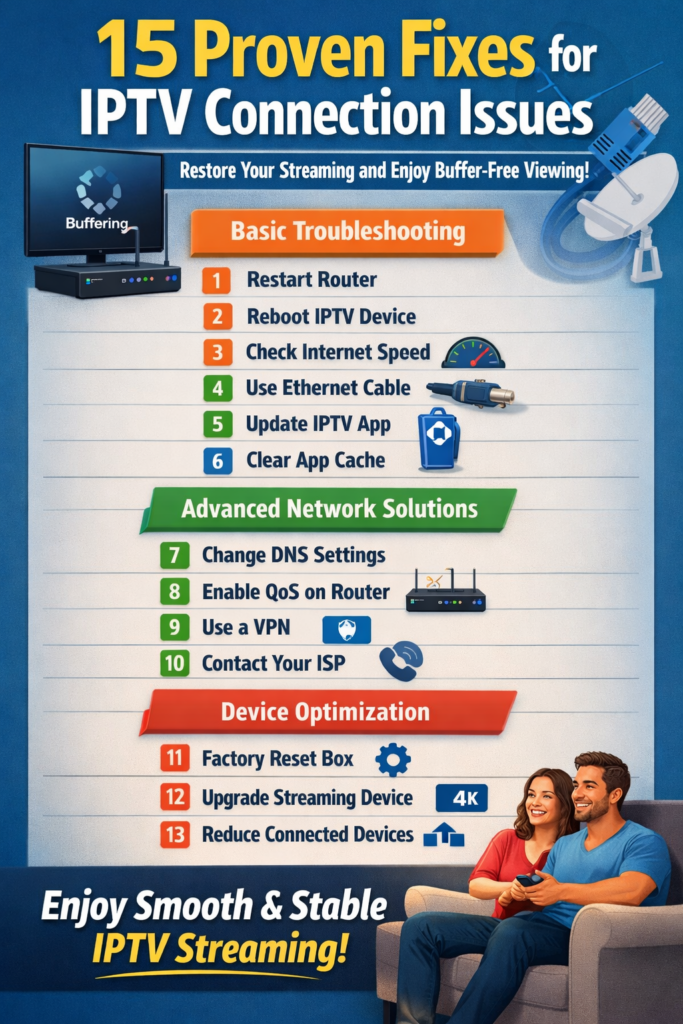
15 Powerful Fixes for lPTV Connection Issues
Now let’s get practical. Here are 15 proven solutions that restore smooth streaming fast.
Basic Troubleshooting Steps
- Restart Your Router
Turn it off for 60 seconds. This refreshes IP settings. - Reboot Your IPTV Device
Clears temporary memory errors. - Check Internet Speed
Use a reliable speed test tool. - Switch to Ethernet
Wired connections reduce IPTV connection issues dramatically. - Close Background Apps
Reduce bandwidth competition. - Update IPTV App
Fix bugs and compatibility errors. - Clear App Cache
Especially on Android-based devices.
Advanced Network Solutions
- Change DNS Settings
Use Google DNS (8.8.8.8 / 8.8.4.4). - Enable QoS on Router
Prioritize IPTV traffic. - Reduce Connected Devices
Limit network load. - Upgrade Router
Old routers can’t handle high-speed streaming. - Contact Your ISP
Ask about throttling policies. - Use a VPN (If Legal in Your Region)
Can bypass ISP throttling.
Device Optimization
- Factory Reset IPTV Box
Removes corrupted settings. - Upgrade to a Better Streaming Device
Older devices struggle with HD or 4K content.
How to Prevent IPTV Connection Issues
Prevention is better than cure. Here’s how to stay ahead of IPTV connection issues.
Best Router Settings
- Enable 5GHz WiFi
- Use WPA3 security
- Update firmware regularly
- Position router centrally
Choosing a Reliable IPTV Provider
A high-quality IPTV provider should offer:
- 99.9% uptime
- Anti-freeze technology
- Multiple server locations
- 24/7 support
Don’t just chase cheap prices. Stability matters more.
FAQs About IPTV Connection Issues
1. Why do IPTV connection issues happen mostly at night?
Peak traffic hours cause network congestion, leading to slower speeds and buffering.
2. Can a VPN fix IPTV connection issues?
Yes, especially if ISP throttling is the cause. However, speed depends on VPN quality.
3. What internet speed is best for IPTV?
At least 25 Mbps for HD streaming and 50 Mbps for 4K to avoid IPTV connection issues.
4. Why does IPTV freeze but internet works fine?
Streaming requires stable latency, not just speed. Packet loss may cause IPTV connection issues.
5. Does WiFi cause IPTV connection issues?
Yes. Wireless interference often leads to instability. Ethernet is more reliable.
6. How do I know if my IPTV provider is the problem?
If other apps work perfectly but IPTV constantly fails, the provider may be experiencing server issues.
Final Thoughts
IPTV connection issues may feel overwhelming, but they’re usually easy to solve. With the 15 fixes above, you can restore smooth streaming quickly and prevent future interruptions.
The key is understanding your network, optimizing your device, and choosing a reliable provider. Once everything is configured properly, IPTV can deliver an exceptional viewing experience without frustration.
Streaming should be enjoyable—not stressful. Now you’re fully equipped to eliminate IPTV connection issues for good.