
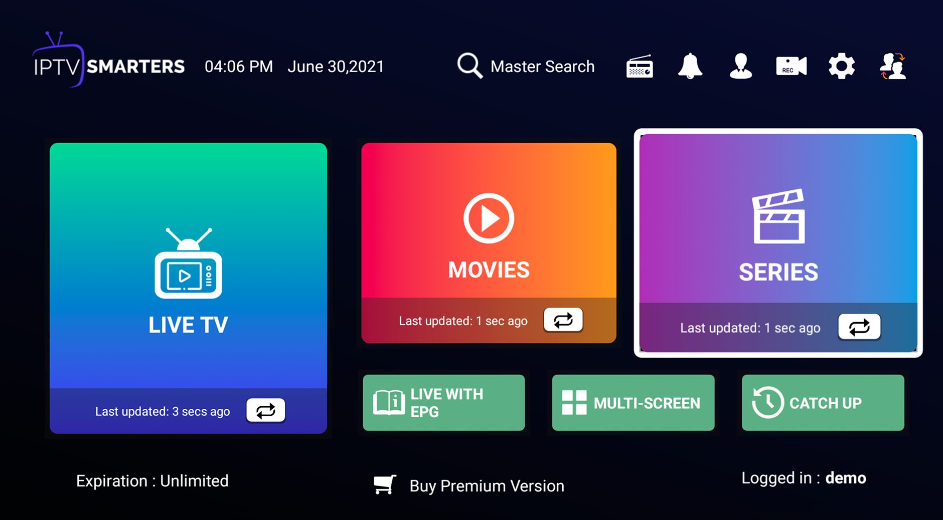
How to setup IPTV service step by step with this ultimate power guide for beginners in 2026. Learn devices, apps, playlists, security, and troubleshooting.
What Is IPTV and How Does It Work?
IPTV stands for Internet Protocol Television. Instead of using traditional cable or satellite signals, IPTV delivers TV channels and on-demand content through the internet. When you learn how to setup IPTV service step by step, you unlock a flexible way to watch live TV, movies, and series on many devices.
Unlike cable TV, IPTV doesn’t need special hardware from a TV provider. You only need:
- A stable internet connection
- A compatible device
- An IPTV app
- A valid IPTV subscription or playlist
Because IPTV streams over the internet, you can watch content at home or on the go. That’s why more users are switching every year.
IPTV vs Cable vs Streaming Apps
| Feature | IPTV | Cable TV | Streaming Apps |
|---|---|---|---|
| Internet Required | Yes | No | Yes |
| Live TV Channels | Yes | Yes | Limited |
| On-Demand Content | Yes | Limited | Yes |
| Monthly Cost | Low–Medium | High | Medium |
| Device Flexibility | High | Low | High |
IPTV blends live TV and streaming apps into one service. As a result, users get more content for less money.
Benefits of IPTV for Modern Viewers
IPTV offers:
- Thousands of live channels
- Large libraries of movies and series
- Access on Smart TVs, phones, tablets, and PCs
- Affordable pricing compared to cable
Moreover, learning how to setup IPTV service step by step helps you customize your viewing experience. You can choose your channels, control playback, and enjoy global content.
Is IPTV Legal and Safe to Use?
IPTV itself is legal technology. However, not every IPTV service follows the law. Some providers stream copyrighted content without permission. Therefore, it’s vital to know the difference.
Legal IPTV vs Unverified IPTV
Legal IPTV services have proper licenses to broadcast content. Unverified IPTV services often offer too-good-to-be-true prices and massive channel lists. While they may work, they carry risks like shutdowns or security issues.
To stay on the safe side:
- Research providers carefully
- Read user reviews
- Avoid services that promise “everything for $5 forever”
How to Stay Safe and Private
Your privacy matters. IPTV apps connect to servers across the web. So, it’s wise to protect your data.
Using VPNs and Secure Networks
A VPN encrypts your internet traffic and hides your IP address. This can help:
- Improve privacy
- Reduce ISP throttling
- Protect your connection on public Wi-Fi
For more on online privacy, you can visit a reputable resource like https://www.consumer.ftc.gov for guidance on digital safety.
Devices That Support IPTV
One great thing about IPTV is flexibility. You can set it up on many devices with ease.
Smart TVs
Most modern Smart TVs support IPTV apps. Brands like Samsung and LG allow you to install IPTV players directly from their app stores. This means you can learn how to setup IPTV service step by step without extra devices.
Android Devices and Firestick
Android TV boxes and Firestick devices are very popular for IPTV. They support many IPTV apps and offer smooth performance. Setup is quick, and updates are easy.
Windows, Mac, and Mobile Phones
You can also watch IPTV on:
- Windows PCs
- MacBooks
- Android phones
- iPhones
This flexibility makes IPTV ideal for families and travelers.
What You Need Before You Setup IPTV
Before you begin, make sure you’ve got the basics covered. Preparation saves time and prevents errors.
Internet Speed Requirements
A stable connection is key:
- SD streaming: 5 Mbps
- HD streaming: 10 Mbps
- 4K streaming: 25 Mbps
If your internet is slow, buffering may occur. So, upgrade your plan if needed.
IPTV Subscription or Playlist
You’ll need login details from your IPTV provider. These usually come in two formats:
M3U Links and Xtream Codes
| Format | Description |
|---|---|
| M3U Link | A playlist URL you paste into an app |
| Xtream Codes | Username, password, and server URL |
Both work well. However, Xtream Codes are often easier for beginners.
How to Setup IPTV Service Step by Step on Popular Devices
This is the core section where you’ll learn how to setup IPTV service step by step on common platforms. Follow these instructions carefully, and you’ll be streaming in minutes.
Setup on Android and Firestick
- Turn on your device and connect to Wi-Fi.
- Open the app store and install an IPTV player.
- Launch the app.
- Choose login method (M3U or Xtream Codes).
- Enter your IPTV details.
- Wait for channels to load.
- Start watching.
If buffering happens, restart the app and check your internet speed.
Setup on Smart TV (Samsung/LG)
- Open your TV’s app store.
- Search for an IPTV player.
- Install and open the app.
- Enter your IPTV login details.
- Save settings and refresh channels.
Smart TVs may load channels slower the first time. Be patient—it’s normal.
Setup on Windows and Mac
- Download an IPTV player for desktop.
- Install the software.
- Open it and add your playlist or login info.
- Wait for content to sync.
- Enjoy live TV and VOD.
Desktop players often offer advanced features like recording and channel sorting.
Best IPTV Apps and Players in 2026
Choosing the right player improves your experience. Not all IPTV apps are equal.
Features to Look For in an IPTV Player
Look for:
- Easy interface
- EPG (TV guide) support
- Favorites list
- Parental controls
- Fast loading times
These features make daily use smoother and more enjoyable.
Comparing Popular IPTV Apps
| Feature | App A | App B | App C |
|---|---|---|---|
| EPG | Yes | Yes | No |
| VOD Support | Yes | Yes | Yes |
| Parental Control | Yes | No | Yes |
| Device Support | High | Medium | High |
Pick an app that matches your device and viewing habits.
Optimizing IPTV Performance for Smooth Streaming
Even with good setup, performance can vary. Here’s how to improve it.
Reduce Buffering and Lag
- Use wired internet if possible
- Close background apps
- Restart your router weekly
- Choose a closer server if your provider offers options
Improve Picture Quality
- Set video quality to match your internet speed
- Avoid 4K if your connection is unstable
- Update your IPTV app regularly
These small tweaks can make a big difference.
Common IPTV Problems and How to Fix Them
Issues can happen, but most are easy to fix.
IPTV Not Working
If IPTV won’t load:
- Check your internet connection
- Restart the app
- Re-enter your login details
- Contact your provider if needed
Playlist Errors and Login Issues
Errors often come from expired subscriptions or typos. Double-check:
- Username
- Password
- Server URL
If the problem continues, ask your provider for fresh details.
IPTV Security, Privacy, and Best Practices
Using IPTV wisely protects your device and data.
Avoid Scams and Fake Services
Red flags include:
- No customer support
- No trial period
- Pressure to pay quickly
- Poor reviews
Always research before buying.
Parental Controls and Safe Viewing
Many IPTV apps offer parental controls. Use them to:
- Block adult content
- Limit viewing time for kids
- Create safe profiles
This keeps family viewing secure and appropriate.
FAQs About How to Setup IPTV Service Step by Step
1. Is IPTV better than cable TV?
Yes, IPTV is often cheaper and more flexible than cable.
2. Do I need a Smart TV to use IPTV?
No, you can use IPTV on phones, PCs, and streaming devices.
3. Can I use one IPTV subscription on multiple devices?
Some providers allow it, but many limit connections. Check your plan.
4. Why does my IPTV buffer at night?
Network congestion and ISP throttling can cause this.
5. Is it hard to learn how to setup IPTV service step by step?
No, most setups take less than 10 minutes.
6. Can I cancel IPTV anytime?
Yes, most IPTV subscriptions are flexible and month-to-month.
Conclusion: Start Using IPTV with Confidence
Now you know how to setup IPTV service step by step, from choosing devices to optimizing performance. IPTV offers freedom, variety, and value. With the right setup, you’ll enjoy smooth streaming, global channels, and on-demand content without hassle. Start small, test your setup, and adjust settings as you go. Soon enough, IPTV will feel simple and natural.