
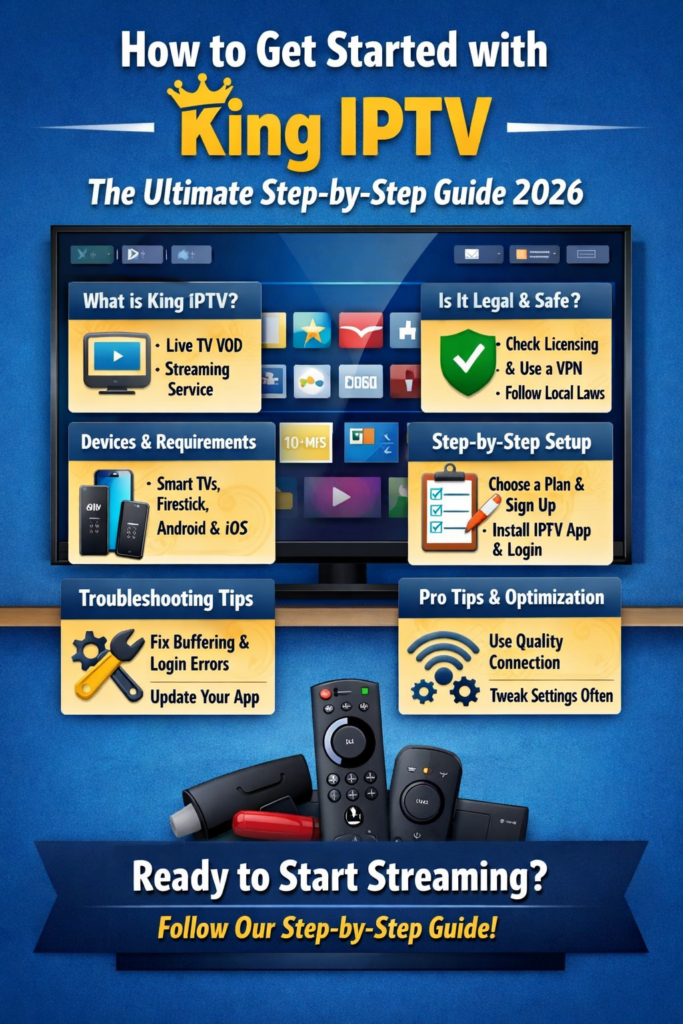
How to Get Started with King IPTV in 2026 with this ultimate step-by-step guide. Learn setup, features, compatibility, legal tips, and best practices for a smooth IPTV experience.
How to Get Started with King IPTV: The Ultimate Step-by-Step Guide 2026
Internet Protocol Television, better known as IPTV, continues to grow in popularity, and King IPTV is one of the services many users are curious about in 2026. If you’re new to IPTV or simply looking for a clear, beginner-friendly walkthrough, you’re in the right place.
In this guide, you’ll learn how to get started with King IPTV from scratch. We’ll cover the basics, device compatibility, setup steps, optimization tips, and important legal considerations. By the end, you’ll know exactly what to expect and how to use King IPTV responsibly and effectively.
Understanding King IPTV and IPTV Basics
What Is IPTV and How It Works
IPTV delivers television content through the internet instead of traditional cable or satellite systems. Rather than broadcasting all channels at once, IPTV streams content on demand or live through internet protocols. This means better flexibility, more control, and access across multiple devices.
In simple terms, IPTV works by:
- Using your internet connection
- Streaming TV channels or video content
- Playing content through dedicated apps or media players
If you want a neutral overview of IPTV technology, you can check this external reference from Wikipedia:
https://en.wikipedia.org/wiki/Internet_Protocol_television
What Is King IPTV?
King IPTV is an IPTV service that provides access to live TV channels, video-on-demand (VOD), and sometimes catch-up content. The exact channel lineup and features depend on the plan and provider configuration.
When people search for how to get started with King IPTV, they usually want:
- Easy installation steps
- Device compatibility details
- Performance and reliability tips
This guide focuses on those practical aspects without promoting illegal use.
Key Features and Benefits
King IPTV commonly offers:
- Live TV channels across multiple regions
- HD and sometimes 4K streams
- VOD libraries with movies and series
- Compatibility with popular IPTV players
- Multi-device support
These features make it appealing, especially for users looking to simplify their home entertainment setup.
Is King IPTV Legal and Safe to Use in 2026?
Legal Considerations
This is an important topic. IPTV technology itself is legal, but the legality of King IPTV depends on whether the service has proper licensing for the content it distributes.
Before you proceed:
- Always verify content licensing
- Avoid services offering copyrighted content without permission
- Follow local laws in your country
This guide is strictly informational and encourages lawful use only.
Safety, Privacy, and VPN Use
From a technical standpoint, IPTV services can expose your IP address. Many users choose to protect their privacy by:
- Using strong passwords
- Avoiding suspicious apps
- Keeping software updated
A VPN can add privacy, but it should never be used to bypass laws or regulations.
Choosing Legitimate Content
To stay safe:
- Use official IPTV apps
- Avoid “too good to be true” offers
- Read recent user reviews
- Choose providers that clearly explain their content sources
Devices and System Requirements
Supported Devices
King IPTV generally works on:
- Android smartphones and tablets
- Android TV boxes
- Amazon Firestick
- Smart TVs (Samsung, LG via IPTV apps)
- Windows and macOS PCs
- iOS devices (with compatible players)
This flexibility is one reason many users want to get started with King IPTV.
Internet Speed Requirements
For smooth streaming:
- SD: 5 Mbps
- HD: 10–15 Mbps
- Full HD / 4K: 25 Mbps or more
A wired connection is always more stable than Wi-Fi.
App Compatibility
King IPTV doesn’t usually come with a standalone app. Instead, it works with IPTV players such as:
- IPTV Smarters
- TiviMate
- XCIPTV
- Perfect Player
How to Subscribe to King IPTV (Step-by-Step)
Choosing a Plan
Most IPTV services offer:
- Monthly plans
- Quarterly plans
- Annual subscriptions
When choosing, consider:
- Trial availability
- Device limits
- Support quality
Payment and Account Setup
Payment methods vary. Always:
- Use secure payment gateways
- Avoid sharing personal data unnecessarily
- Keep confirmation emails or receipts
Receiving Login Credentials
After subscribing, you’ll usually receive:
- M3U URL or file
- Xtream Codes (username, password, server URL)
- EPG link (sometimes)
Keep this information secure.
How to get started with King IPTV on Popular Devices
Android Devices
- Install an IPTV player from Google Play
- Open the app
- Choose login method (M3U or Xtream Codes)
- Enter your King IPTV credentials
- Load channels and wait for setup
Smart TVs
For Samsung or LG TVs:
- Download a compatible IPTV app from the app store
- Enter your login details
- Sync channels and EPG
Firestick & Android TV
- Install Downloader or app store IPTV player
- Allow unknown sources (if required)
- Log in using provided credentials
- Restart the app after loading
iOS & PC
- Use App Store IPTV players on iOS
- On PC, use apps like VLC or dedicated IPTV software
- Paste the M3U link and refresh playlists
Setting Up King IPTV for the Best Experience
Adding M3U or Xtream Codes
Xtream Codes are easier for beginners:
- Auto-load channels
- Faster EPG syncing
- Better organization
M3U links work fine but may require manual updates.
EPG Setup
Electronic Program Guide helps you:
- See schedules
- Plan viewing
- Navigate channels easily
Make sure the EPG URL is active and updated.
Video & Buffer Settings
To reduce buffering:
- Set buffer size to medium
- Choose hardware decoding if supported
- Match resolution to your internet speed
Troubleshooting Common King IPTV Issues
Buffering Problems
Common causes include:
- Slow internet
- Overloaded servers
- Wi-Fi interference
Solutions:
- Restart router
- Switch to Ethernet
- Lower stream quality
Login Errors
If login fails:
- Double-check credentials
- Confirm subscription is active
- Contact official support
Channel Not Loading
Try:
- Refreshing playlists
- Updating the app
- Changing IPTV player
Tips to Optimize Your King IPTV Experience
Network Optimization
- Use quality routers
- Limit background downloads
- Prioritize streaming traffic
App Settings Tweaks
- Enable auto-update
- Clear cache regularly
- Organize favorites for quick access
Maintenance and Updates
Check for:
- App updates
- Playlist renewals
- Device firmware updates
Consistency helps maintain performance.
Frequently Asked Questions (FAQs)
1. What do I need to get started with King IPTV?
You need a stable internet connection, a compatible device, an IPTV player app, and valid King IPTV credentials.
2. Is King IPTV suitable for beginners?
Yes, especially when using Xtream Codes with beginner-friendly apps like IPTV Smarters.
3. Can I use King IPTV on multiple devices?
That depends on your subscription plan. Some plans limit simultaneous connections.
4. Why does King IPTV buffer sometimes?
Buffering usually happens due to internet speed issues, device limitations, or server congestion.
5. Do I need a VPN for King IPTV?
A VPN is optional for privacy but should only be used in compliance with local laws.
6. Can I cancel my King IPTV subscription?
Most providers allow cancellation, but refund policies vary. Always read the terms before subscribing.
Conclusion
Learning how to get started with King IPTV in 2026 doesn’t have to be complicated. With the right device, a stable internet connection, and a responsible approach to content usage, you can enjoy a smooth IPTV experience.
Take your time setting things up, follow best practices, and always prioritize legal and secure streaming. Done right, IPTV can be a flexible and modern way to access television content. how to get started with King IPTV .